
Features
Log user chat activity
Monitor and Improve Chatbot Performance Using Chat Logs
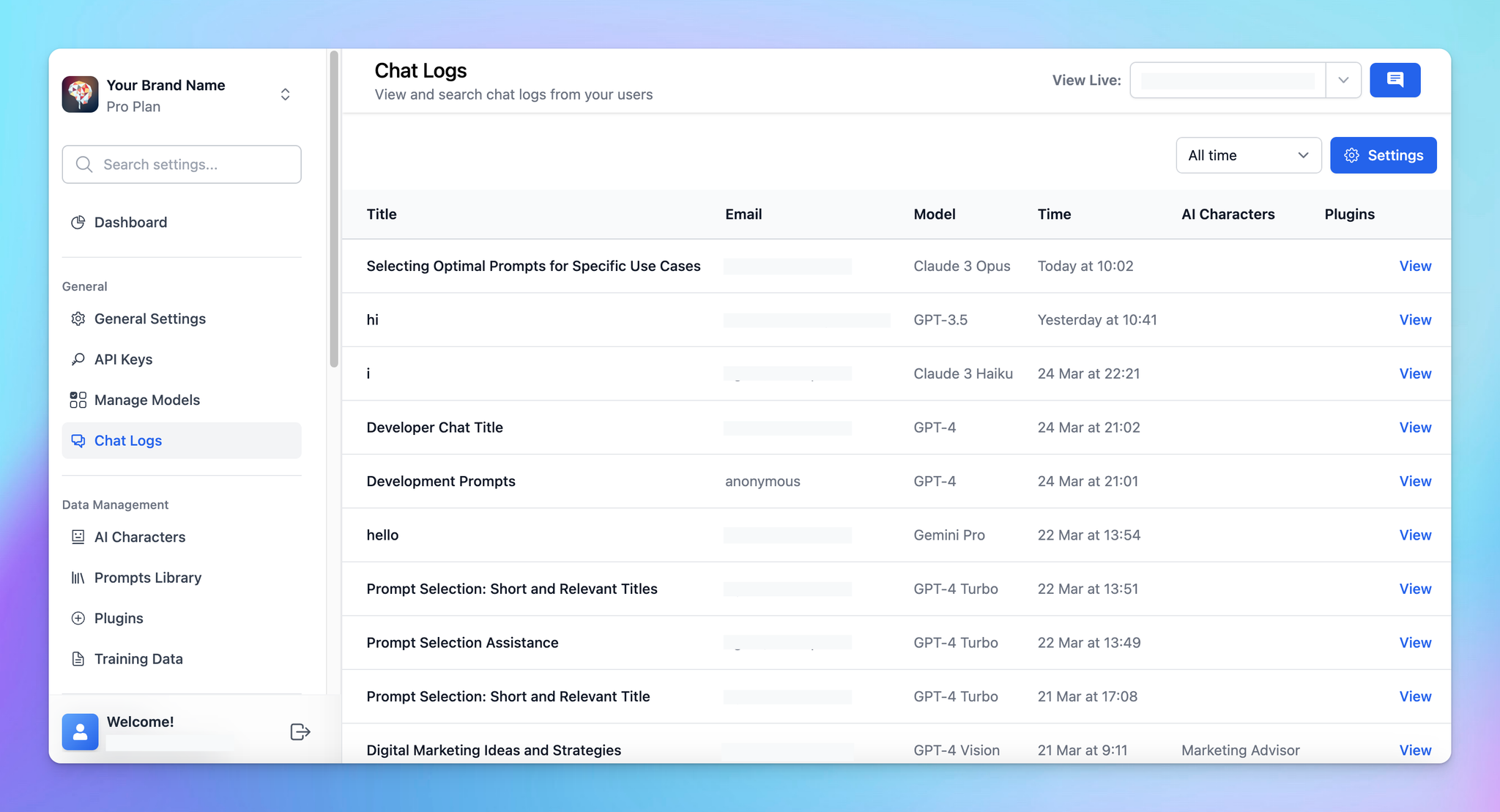
TypingMind allows Admins to review chat logs by all users to understand use cases, detect issues, and adjust prompts to better handle user queries.
Let’s check out on how to do that!
Why Should You Review Chat Logs?
- Understand user needs: see what questions users ask most and what information they’re looking for.
- Fix problems faster: spot common issues or errors and solve them before they grow.
- Make your chatbot smarter: use what you learn to update prompts, FAQs, or AI training data.
- Offer better resources: use chat data to provide users with guides, tips, or help they really need.
How to Review and Record Chat Logs
-
Log in to your chat instance
-
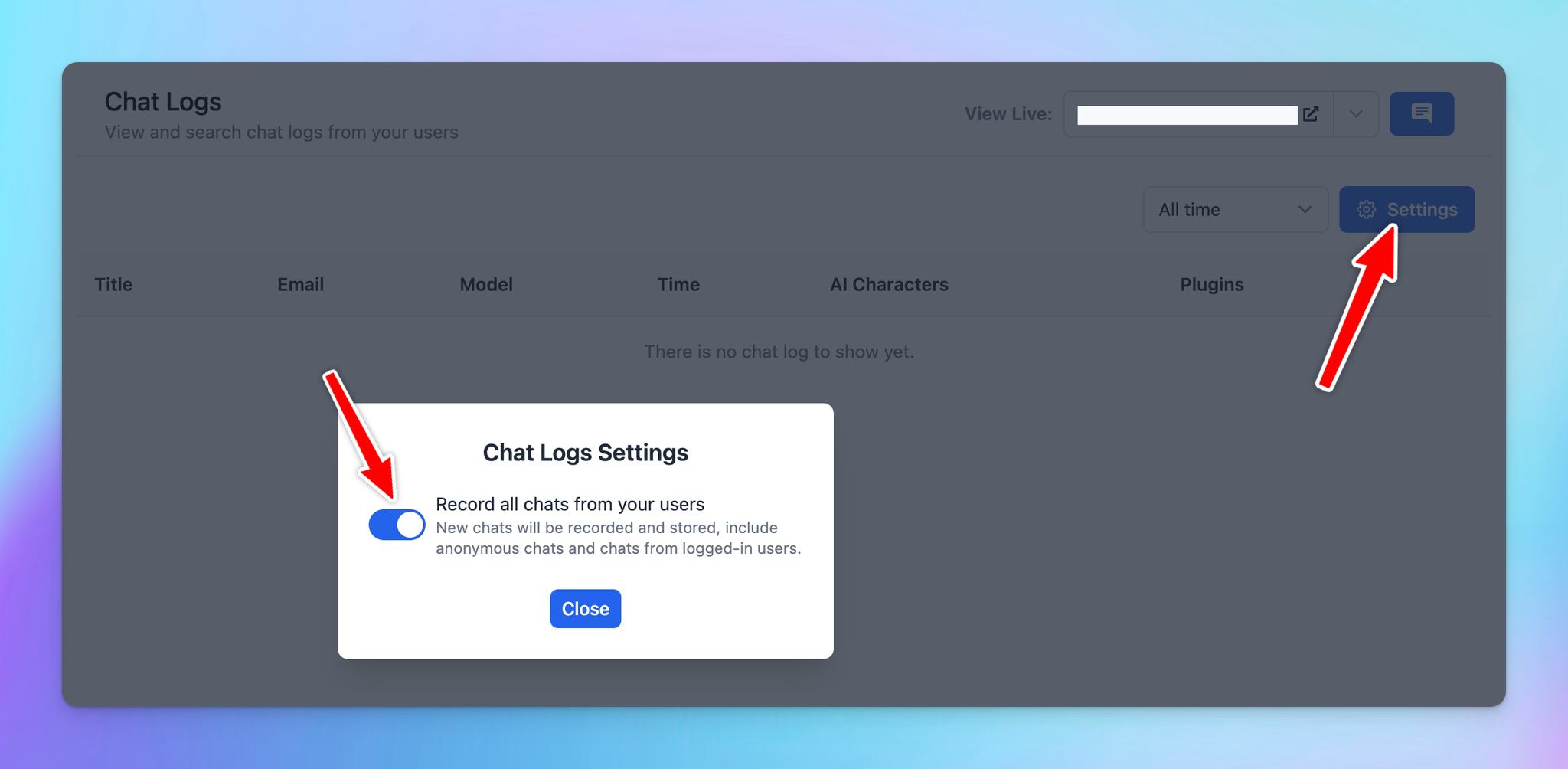
Go to “Chat Logs” menu in the General section
- Click on Settings
- Enable Record all chats from your users
Tip: Make sure your users know you’re recording chats, and follow privacy rules!
Tips for Reviewing Chat Logs
-
Check logs regularly
Set aside time to review logs often. This helps you catch new issues or trends early.
-
Update instructions to AI continuously
Use what you find in chat logs to improve the chatbot. Add instructions and refine how it responds to tricky questions. Update FAQs, user guides, or training data for the AI, improving the accuracy and relevance of its responses.
-
Help users better
Look at the common topics users ask about. Create quick guides or helpful links to address those directly.
-
Find patterns
Use keyword tracking to see common questions or themes.
-
Gather feedback
Ask users for feedback after their chat, then combine it with what you learn from the logs.