
Analytics dashboard
See how your team actually uses the AI models you connected. Active users, messages, conversations, and estimated tokens — broken down by user, by model, and by agent.
5,000+ businesses
worldwide have joined us
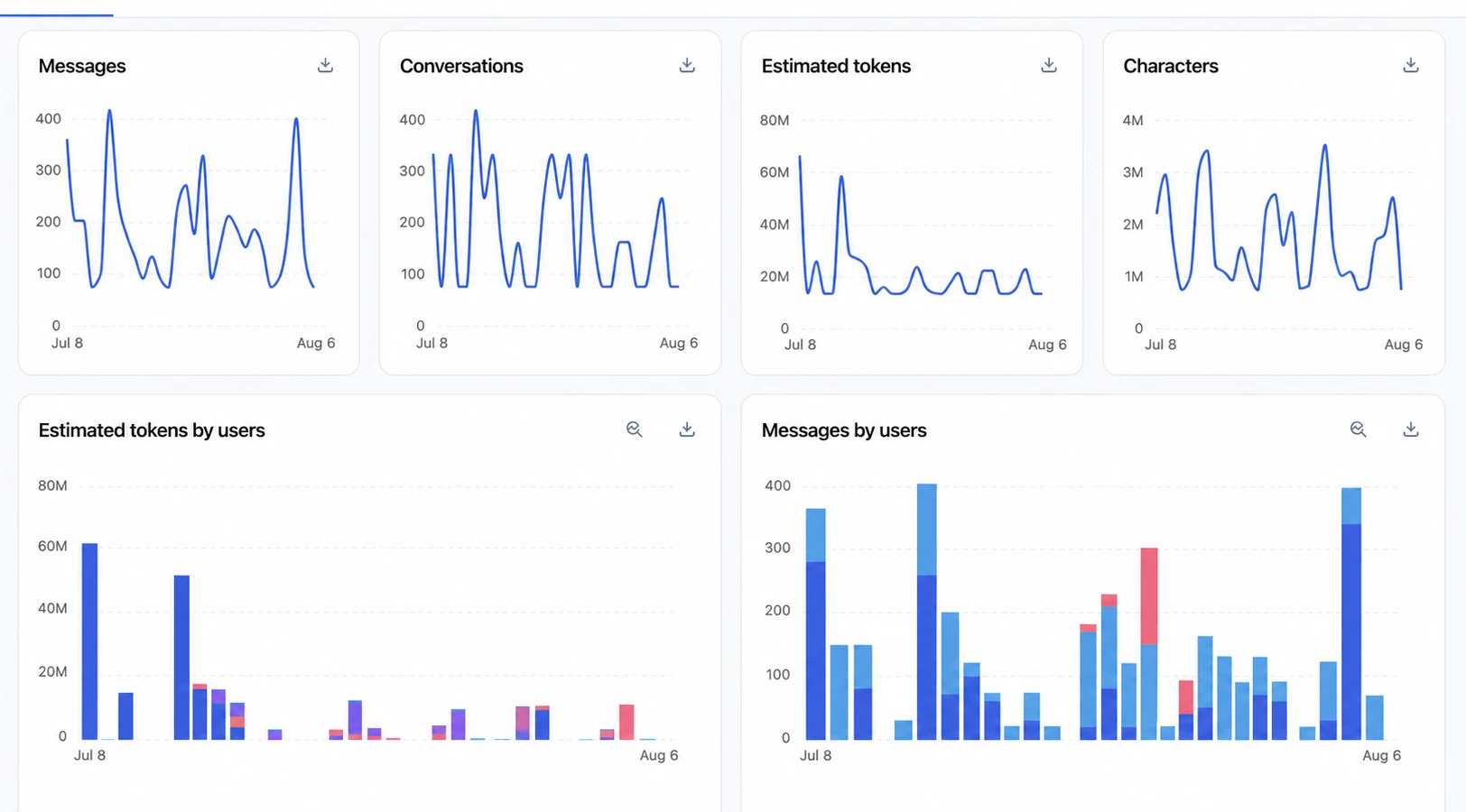
See how usage trends, and how each teammate contributes
Messages, conversations, estimated tokens, and characters each get their own chart over the period, so a spike in cost can be traced to a spike in activity.
Estimated tokens by users and messages by users break the same days down per person, which is how you spot power users and outliers.
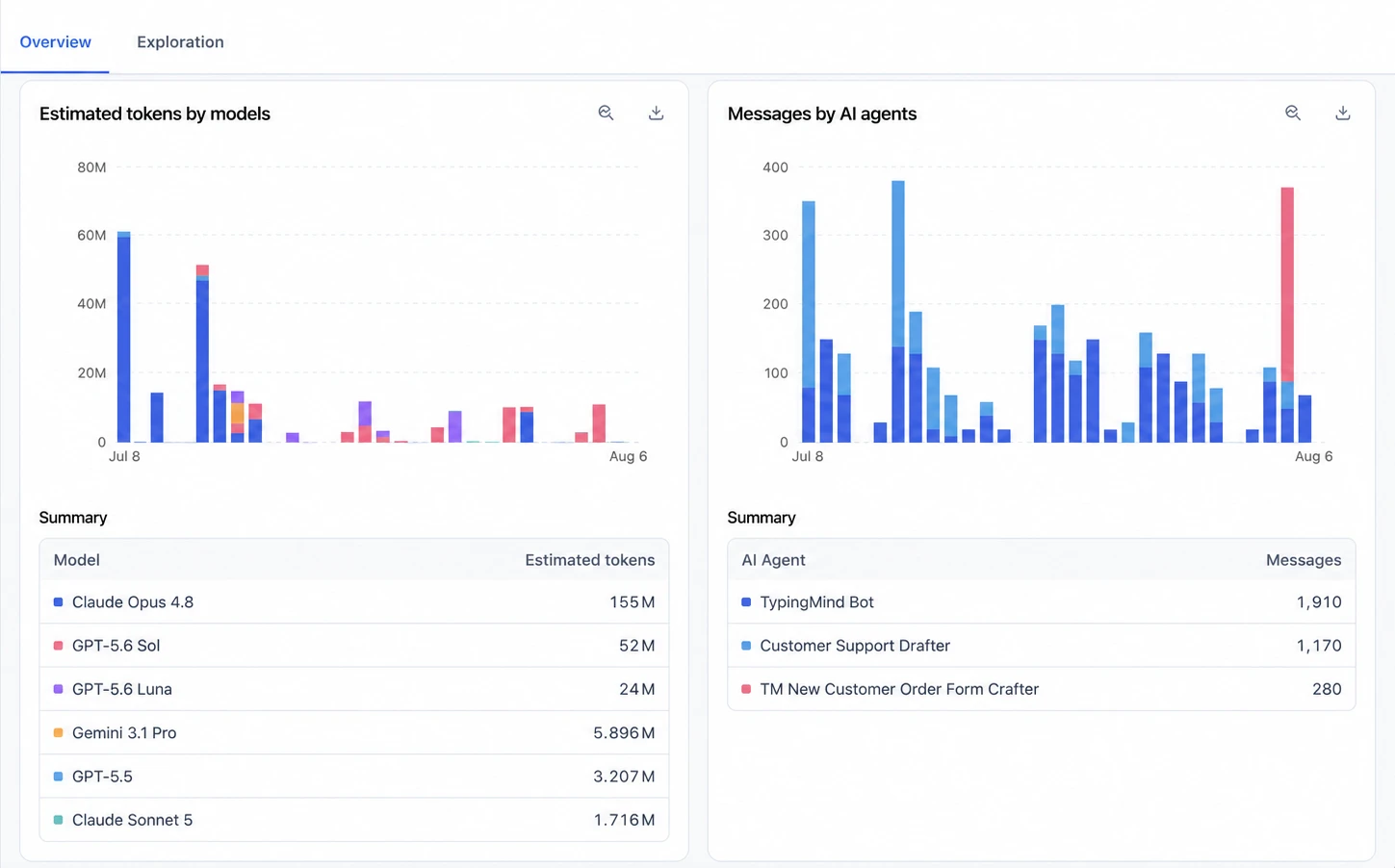
Rank models by cost, and agents by real use
Estimated tokens by models shows consumption across every LLM you have connected, with a summary table ranking them. That is how you identify the cost-intensive ones and allocate budget accordingly.
Messages by AI agents does the same for your agents, so you can see which ones your team actually reaches for.
“The admin portal makes rolling AI out across the team feel manageable instead of herding cats. We can see usage, manage access, set limits, and keep our internal and proprietary stuff under lock and key.”

The metrics the dashboard tracks
Everything is charted over the date range you choose, and every chart exports.
Active users
Track how many unique users are actually using the LLM over time, not just how many have accounts.
Messages and conversations
Count the messages sent in a period, and the distinct conversations happening between your users and the LLM.
Estimated tokens and characters
Estimate total consumption across all users in a timeframe, so overall usage never comes as a surprise.
Per-user breakdowns
See token usage and message activity user by user to understand who consumes what, and find the outliers.
Usage by model
Compare estimated token usage across your LLMs to determine which models are the most resource-intensive.
Messages by AI agent
Monitor how many messages each AI agent generates, for insight into agent activity and performance.
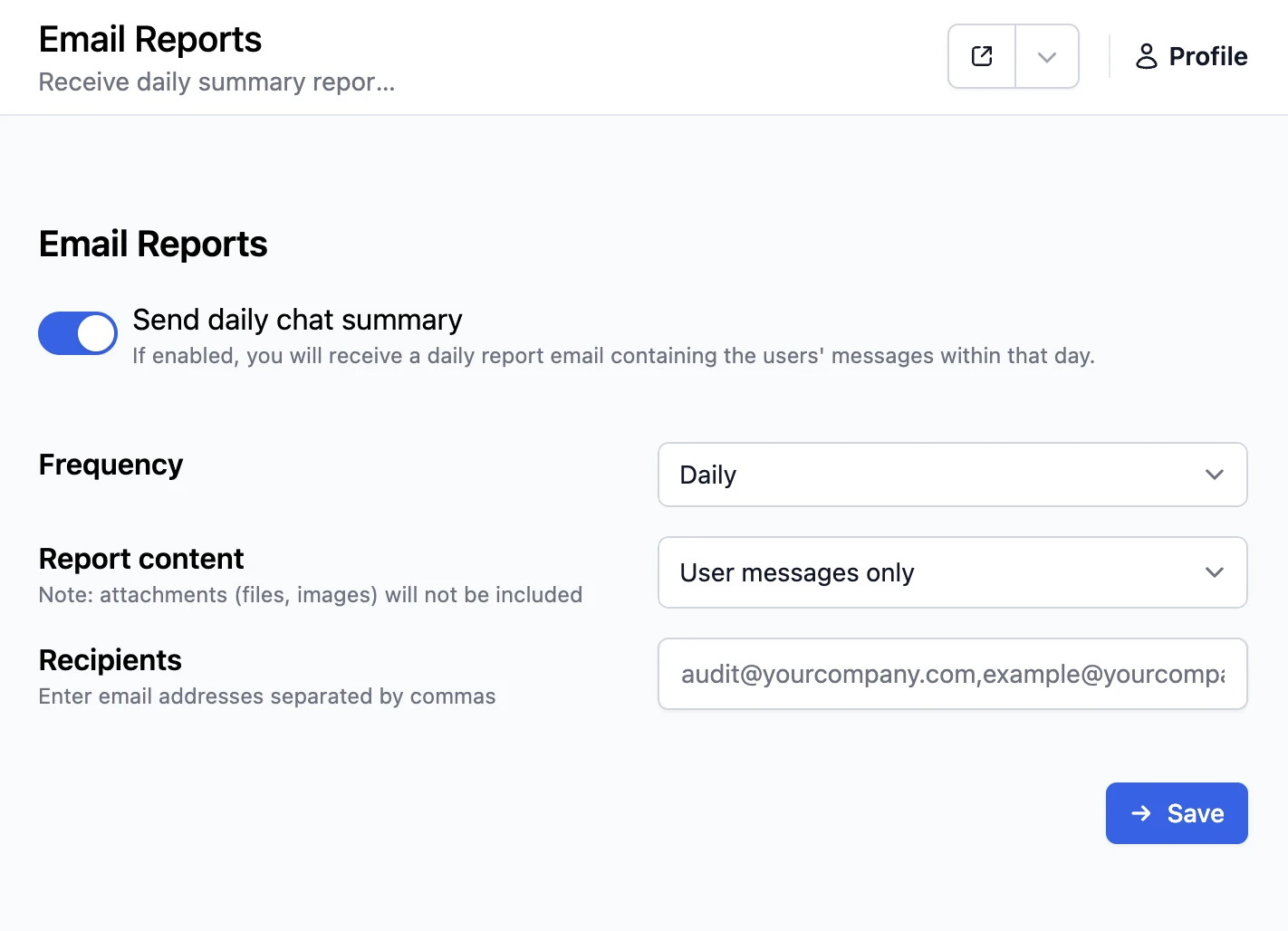
Or have the summary come to you
Reporting can also push the numbers out on a schedule instead of waiting for you to open a chart. Switch on the daily chat summary, pick the frequency, choose whether the report carries user messages only, and list the addresses it should reach.
What the dashboard is there to help you decide
The decisions the numbers are there to support.
Track user activity
Monitor the number of active users over time to measure engagement across your workspace.
Understand usage trends
Analyze message volume, total conversations, and token usage together to understand how people work.
Optimize LLM costs
Identify the most cost-intensive models and allocate resources so budget efficiency does not cost you performance.
Set limits from evidence
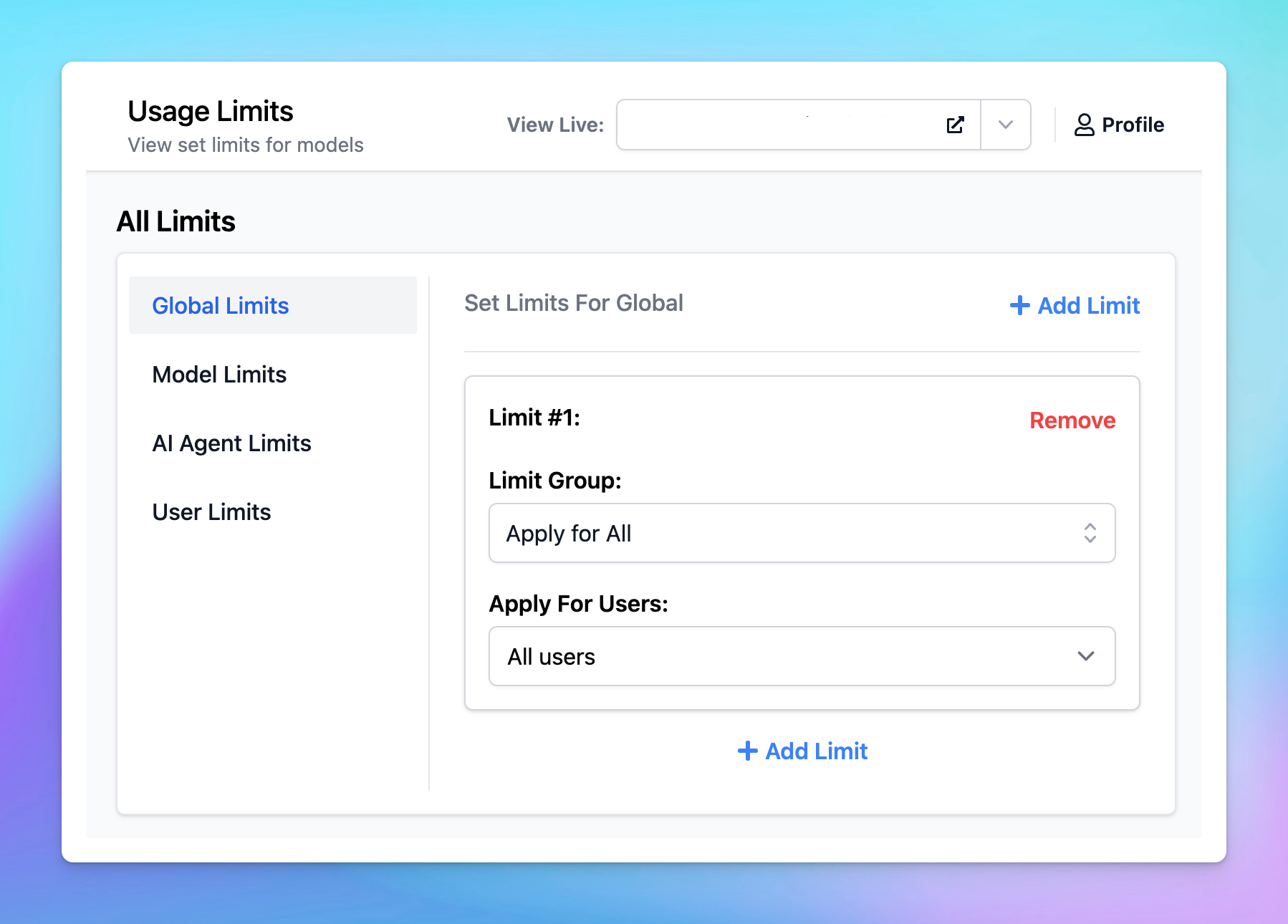
Use what the charts show to size usage limits to real behaviour, instead of guessing at a number.
See why our customers love us
Read the impact we've had from those who matter most —our customers!




“I have entirely switched to TypingMind from the normal ChatGPT client. The responses are typically faster, and you can put chats in folders, search them, switch between all sorts of models.”

Thomas Frank
YouTuber with 3M+ subscribers
“I'm the CEO/CTO of an AI Edtech startup, and I've been using TypingMind daily since December 2023. Easily one of the best frontends for AI models I've tried: fast, clean, and really optimized for professional workflows.”

Cesar N'Gouan
CEO/CTO of AI Edtech
“We started using TypingMind when it was giving out team licenses and our team uses it every day! I use it for my product management work and I'd be quite disappointed if it went away.”

Shavin Peiris
Product Manager at Aristotle
“It's incredibly powerful and flexible. It allows me to centralize all my interactions with the different models. There's almost no reason for me to use any other application.”

Graydon T.
Founder
“TypingMind is a state of the art user interface for generative AI. I have been using it every day since I stumbled upon it a year ago.”

Roland Priborsky
CEO at Nionium Inc
“I love Typing Mind. One of the best purchases I have made. There is not one single LLM I use — I use ChatGPT for some tasks, Claude for others, and Gemini for others. With TypingMind I don't have to pay a monthly subscription for all of them.”

Larry James
Verified Trustpilot User
“We use TypingMind across various tasks to streamline our workflows and enhance productivity. We fell in love with the product and believed it to be the only one of its kind.”

Tommy Cunningham
Web Developer & Technical Manager of Entrepreneurs Circle
“As a CTO of multiple startups, I love this web app. It works well and I save a lot of money by using it because I don't have to pay a subscription to try different models.”

Youcef Lkml
Verified Trustpilot User
“This is the best ChatGPT client and I tested so many! So much better than the OpenAI user interface. Added my GPT-4 API to bypass the 25 message cap PLUS have a better user experience.”

Mirel Vasile
Digital Creator
More ways to see what your team is doing
Combine the analytics dashboard with these features to tailor your workspace.